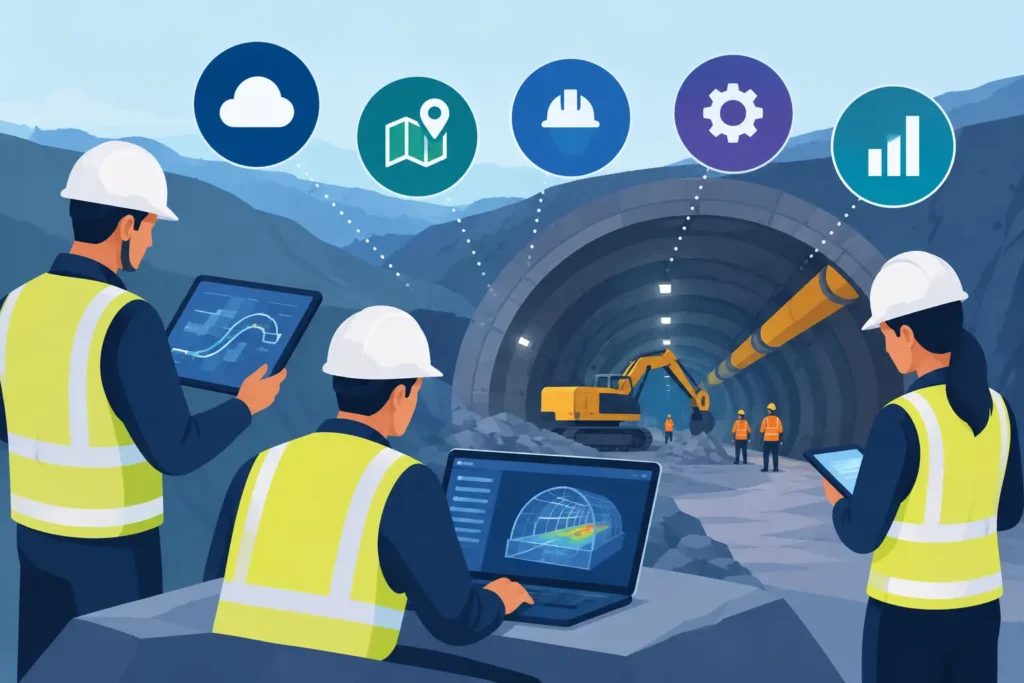
A tunnel face can change the engineering problem faster than the design office can issue a revised drawing. A water-bearing feature, weaker rock mass, unexpected overbreak or poor grout take may require a decision before the next round begins. Essential software for underground construction teams should therefore do more than produce reports. It should help engineers set up a technical problem correctly, test assumptions, record observations and communicate defensible results while work is still progressing.
For geotechnical and tunnelling professionals, the question is not whether software is needed. It is whether the available tools reflect the actual sequence of underground work. Generic project platforms are useful for documents and programme control, but they rarely address rock mechanics, grouting behaviour, stability calculations or the practical interpretation of field data. Specialist engineering applications fill that gap.
Essential software for underground construction teams
A useful software environment for underground works usually has four connected layers: technical calculation, geological and production records, design information, and controlled reporting. The balance depends on the contract and construction method. Drill-and-blast tunnels, road tunnels, metro caverns, shafts and hydropower works all place different demands on the team.
The following categories matter because they support decisions that affect safety, cost, progress and contractual position.
- Geotechnical and rock mechanics calculation tools for stability, stress, support and water-related assessments.
- Grouting and ground treatment tools for planning, documenting and interpreting injection work.
- Geological mapping and face-record systems for turning observations into usable engineering information.
- Drawing, model and document tools that provide controlled access to the current design basis.
- Site reporting and data-management systems for traceability between observations, actions and results.
One platform cannot always perform all these tasks well. The aim should not be to force every activity into a single large system. It is to establish a clear workflow in which data can be checked, calculations can be repeated and decisions can be understood later.
Calculation tools must support engineering judgement
Underground construction calculations are often made under time pressure, but this is no reason to accept opaque input or unexplained output. Software for slope stability, rock wedges, support assessment, groundwater effects or grouting should make the problem definition visible. Engineers need to see the geometry, material assumptions, boundary conditions and calculation method before placing confidence in a result.
For example, a stability assessment around a tunnel opening may begin with simplified analytical methods rather than a full numerical model. This can be entirely appropriate where the geological model is limited, the decision is immediate, or a quick sensitivity assessment is needed. A simple calculation is not a lesser calculation if its assumptions are clear and appropriate to the question.
The trade-off is that simplified tools do not replace detailed three-dimensional modelling for complex interaction problems. Large caverns, closely spaced openings, anisotropic stress fields, major deformation risk or staged support behaviour may require more advanced analysis. Yet even then, straightforward calculation software remains valuable for checking orders of magnitude, reviewing alternatives and explaining the engineering logic to the wider project team.
The most practical applications provide graphical and text-based output. A plot can expose an unrealistic geometry or an input error quickly. A concise calculation record makes it easier for a reviewer to follow the basis of a decision. Both are necessary when the result may influence support installation, excavation sequence or a claim discussion.
Input handling matters more than feature count
Engineering software is often judged by the length of its feature list. On site, the better test is whether an experienced engineer can enter reliable data without unnecessary friction. Clear units, visible defaults, sensible validation and editable assumptions are more valuable than a crowded interface.
This is particularly relevant for teams using both office and field devices. A calculation started on a Mac should be available for review on an iPad, with the same project values and output. An iPhone is not a replacement for detailed engineering work, but it can be useful for reviewing a parameter set, checking a result at the face or recording a reference while travelling between work areas.
Grouting software should connect design to measured response
Pre-excavation grouting and water control are among the most data-intensive parts of many underground projects. Hole geometry, pressure, flow, grout mix, take, stop criteria and geological response must be considered together. A spreadsheet can record this information, but it becomes difficult to interpret when there are many fans, rounds and changing ground conditions.
Specialist grouting tools should assist with both planning and interpretation. Before work begins, they can support decisions on fan layout, target penetration, stage lengths and acceptance criteria. During execution, they should help the engineer identify patterns: increasing grout take in a particular sector, pressure limitations, loss of material, or a mismatch between expected and observed conditions.
The value lies in traceability. If a later water inflow occurs, the team should be able to establish what was designed, what was drilled, what was injected and how the result was assessed at the time. This is useful for technical learning and equally relevant where responsibilities between client, designer and contractor must be assessed.
Software cannot decide whether an observed grout response represents open fractures, poor borehole sealing, changing lithology or equipment behaviour. That interpretation remains an engineering task. Good tools reduce the administrative burden so that the specialist has more time to make that judgement.
Field records need structure without slowing the shift
Face mapping, probe drilling results, water observations and support installation records are easy to underestimate. They become critical when conditions depart from the ground model. A record made at the end of a long shift from memory is less reliable than one captured at the location, with a consistent structure and relevant photographs or sketches.
The best field-record software is not necessarily the most elaborate. It needs a controlled vocabulary for recurring observations, enough flexibility for unusual conditions and a clear link to chainage, excavation round and date. It should also distinguish observation from interpretation. “Persistent wet joint set at crown” is an observation. “Increased inflow risk ahead” is an interpretation that should be attributable to the responsible engineer.
For Apple-based teams, synchronised workflows across macOS and iOS can be particularly useful. A geologist or site engineer can capture structured information on an iPad, while the design engineer reviews the same material on a Mac without relying on separate exports and uncontrolled file versions. Psicons AB focuses on this practical need with engineering applications designed for geotechnical and tunnelling work across Apple devices.
Design and document control remain a separate discipline
Technical calculations and field records must be connected to the approved design, but they should not be confused with it. Drawings, method statements, inspection and test plans, risk assessments and revision registers require formal control. Teams need confidence that the drawing used for setting out support or drilling a grout fan is the correct revision.
A common weakness is storing calculations, photographs and marked-up sketches in personal folders or message threads. It may appear efficient during a busy shift, but it creates uncertainty later. A practical system gives each record a project reference, location, date, author and revision status. It should also make it clear whether a document is preliminary, issued for construction or superseded.
BIM and common data environments can help where the project has the discipline and resources to maintain them. They are not automatically the answer for every contract. On smaller works or fast-moving remedial tasks, a controlled and well-organised document structure may provide more value than an ambitious model that is not kept current.
Choose software around decisions, not departments
Procurement often begins with a list of departments: design, site, commercial, quality and planning. A more useful starting point is the decisions the team must make repeatedly. Can excavation continue? Is additional support required? Has the grouting achieved the intended result? Does the observed ground condition differ materially from the baseline? What evidence supports the answer?
For each decision, identify the required inputs, the responsible engineer, the acceptable calculation or record, and the output that must be communicated. This exposes gaps between systems. It also prevents buying a broad platform that records activity but does not support technical judgement.
Compatibility deserves similar attention. If key engineers work on macOS, iPad or iPhone, software should be selected and tested in that environment rather than treated as an exception. A technically capable application that requires awkward virtual desktops, repeated file transfers or inaccessible licences will be avoided when time matters most.
A sensible software stack gives the underground team a reliable chain from observation to assessment to action. Start with the engineering decisions that carry the greatest consequence, choose tools that make their assumptions easy to follow, and ensure the records remain usable long after the heading has advanced.