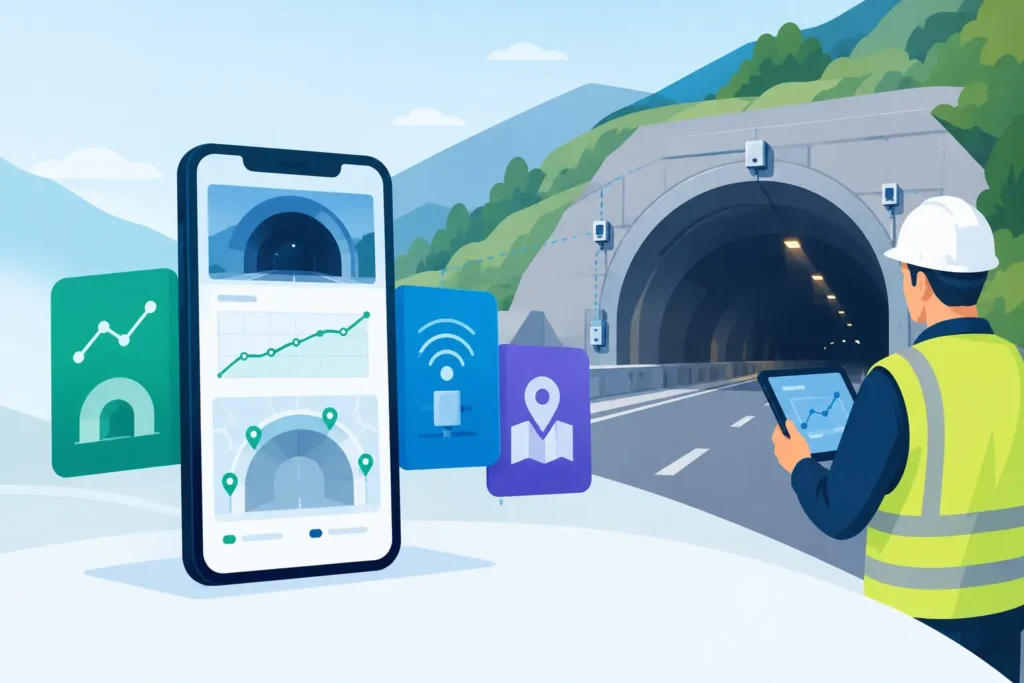
A settlement point that moves by a few millimetres may be entirely expected during an excavation stage. The same reading can require immediate attention if it conflicts with the predicted settlement trough, accelerates after support installation, or coincides with convergence and pore-pressure changes. The best tunnel settlement monitoring apps therefore do more than display measurements. They help the engineering team establish whether the data are credible, relevant and actionable.
For tunnelling and ground-engineering teams, the right choice is rarely a single standalone mobile application. It is normally a monitoring workflow consisting of field capture, automated instrument collection, review tools, alarm handling and reporting. The quality of that workflow matters more than a long feature list.
What a tunnel settlement monitoring app must handle
Tunnel settlement monitoring combines several measurements that have different collection methods and different engineering meanings. Surface settlement markers and building targets may be read manually by precise levelling or total station. In-tunnel points can be monitored for convergence, crown settlement and track or invert movement. Automated systems may add vibrating-wire piezometers, extensometers, inclinometers and remote total stations.
A useful application must retain the context around each reading: point identity, chainage, elevation datum, instrument type, survey round, construction stage and any reason for rejecting or qualifying a value. A graph without that context is visually neat but technically weak.
The application should also make it easy to compare observed movements with baseline readings, trigger levels and predicted behaviour. For example, a surface point above a sprayed-concrete tunnel might need to be assessed against face position, excavation sequence, ground treatment and nearby dewatering. A simple red-amber-green indicator cannot substitute for that interpretation, but it can direct attention to the right point at the right time.
Best tunnel settlement monitoring apps by use case
There is no universal winner because a short urban drive, a deep rock tunnel and a major metro programme have different monitoring requirements. The most practical comparison is by operating model.
Dedicated monitoring data platforms for complex works
A dedicated geotechnical monitoring platform is usually the strongest option for projects with large instrument networks, multiple contractors or formal reporting obligations. These systems are designed to receive automated and manual observations, calculate displacements, apply alarm rules and maintain an auditable history.
Platforms commonly considered in this category include Bentley iTwin IoT, Vista Data Vision and Worldsensing Loadsensing, alongside specialist offerings supplied through instrumentation providers. Their suitability depends less on the name and more on configuration: supported loggers and survey formats, alarm logic, user permissions, data hosting, reporting quality and the ability to export the raw data.
This category is appropriate when monitoring is safety-critical, contractually controlled or reviewed by several organisations. The trade-off is implementation effort. Point registers, baseline periods, trigger-action-response plans and validation rules must be agreed early. A poorly configured enterprise platform can be harder to use than a well-managed spreadsheet, while still giving a false appearance of control.
Instrument supplier portals for automated readings
When a project uses one main family of loggers, gateways and sensors, the supplier’s portal can provide a quick route from instrument to dashboard. It may be a sensible choice for a defined dewatering scheme, a compensation-grouting area or a short-term observational monitoring campaign.
The limitation is integration. Tunnel projects often combine supplier-managed automated sensors with manual levelling, total-station observations and monitoring points held by another party. Before selecting a portal, verify that manually surveyed settlement points can be imported with their full metadata and that the data can be extracted without loss of resolution or history.
A supplier portal is best treated as a valuable acquisition layer unless it also meets the project’s requirements for coordinated interpretation and formal reporting.
Common data environments for coordinated delivery
On large projects, the monitoring application may need to sit within a wider common data environment. Construction teams need current movements beside drawings, inspection records, face logs, risk registers and programme information. This is particularly useful where the monitoring engineer must explain movement in relation to work activity rather than merely issue a trend plot.
These systems can improve communication, but they are not automatically geotechnical monitoring tools. Check whether the environment can calculate settlement relative to a controlled baseline, show time-series data at usable resolution, preserve survey quality flags and record alarm acknowledgement. If it cannot, it should receive interpreted outputs from a monitoring platform rather than become the primary source of engineering data.
Structured field apps for modest manual programmes
For smaller schemes, a straightforward field application paired with a controlled point register can be more effective than an expensive platform. The essential features are offline use, reliable point identification, compulsory observation fields, photographs where helpful, synchronised records and a review process before data are released.
This approach works well for routine settlement arrays where readings are collected manually and reviewed by the same engineering team. It becomes unsuitable when automated instruments, multiple independent surveyors or strict client alarm protocols are introduced. The threshold is not the number of points alone. It is the risk attached to delayed, incorrect or unauditable information.
The selection criteria that matter most
Start with data provenance. Every chart should lead back to the original observation, its timestamp, operator or device, coordinate system and quality status. If a point was inaccessible, disturbed or re-established, the application must record that explicitly. Replacing a questionable measurement silently is not acceptable on a tunnel job.
Then consider alarm management. A useful system supports different trigger values for different points and stages, not one generic percentage of movement. It should distinguish between an absolute movement threshold, a rate-of-change threshold and a monitoring failure such as missed readings. It should also record who reviewed the event, the engineering decision made and the action taken.
Visualisation deserves equal attention. Engineers need clear longitudinal sections, plan views and time-settlement plots. Project managers may need concise status views. The application should serve both audiences without allowing a simplified dashboard to hide the technical detail. A plot that makes it difficult to see whether a change is 2 mm or 20 mm is not fit for settlement assessment.
Finally, examine data ownership and export. Monitoring data often remain relevant during claims, defect periods and later asset management. Select software that can provide raw readings, calculated results, point registers, alarm logs and reports in accessible formats. This is a practical protection against supplier changes, licence changes and future disputes.
macOS and iOS considerations for site teams
For teams working on Apple devices, browser access alone is not the whole answer. The field component must work reliably on an iPhone or iPad where connectivity is intermittent, screens are used outdoors and observations may be made in poor weather or underground. A native or well-designed mobile interface should reduce typing, make point selection unambiguous and prevent accidental overwriting of previous readings.
On macOS, the priority is efficient engineering review. Look for clean spreadsheet import and export, readable graphs, report generation and compatibility with the formats used by surveyors and instrumentation specialists. Synchronisation should preserve the original data and make version status obvious. It should not create parallel copies of a settlement register on several devices.
Psicons AB approaches engineering software from this practical Apple-device perspective: professional tools should be straightforward to set up, easy to follow in detail and technically serious enough for real project decisions.
A sensible procurement test
Do not select monitoring software from a demonstration dashboard. Ask each supplier to process a small but representative project dataset. Include baseline readings, a manually observed settlement array, one suspect reading, an automated sensor stream, a missed measurement and an alarm exceedance. Then assess how easily the team can import, validate, plot, comment on and report the information.
The test should involve the people who will actually use the system: the monitoring engineer, survey lead, site engineer and the person responsible for issuing reports. A platform that satisfies only the information manager may add work at the point where accurate data are most needed.
The strongest choice is the application that makes the next engineering judgement clearer, not the one with the most impressive dashboard. When ground movement begins to depart from expectation, traceable data, sensible alarms and rapid access to the construction context give the tunnel team the time and confidence to respond well.