
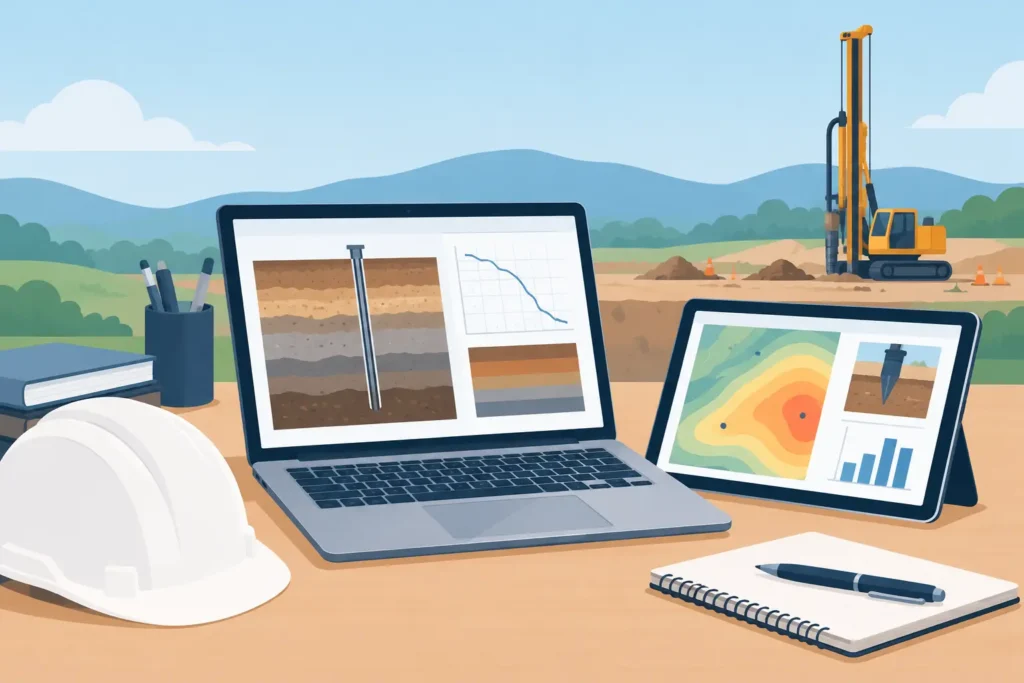
A geotechnical report rarely causes difficulty because an equation is impossible to solve. More often, the problem is that assumptions sit in one file, field observations in another, calculations in a third, and the final figures are copied into a document shortly before issue. Simple geotechnical reporting tools address that practical gap by making the engineering chain easier to set up, inspect and communicate.
For geotechnical and tunnelling professionals, simplicity should not mean reduced technical content. It should mean that a reviewer can see what was entered, which model was selected, what assumptions govern the result, and whether the output is appropriate for the decision being made. A clear report is not a cosmetic extra. It is part of the engineering work.
Where reporting workflows lose engineering value
Ground engineering involves interpretation. Soil and rock parameters may be derived from laboratory results, in-situ testing, mapping, back-analysis, published correlations or professional judgement. The analysis is only as useful as the explanation of how those inputs were selected.
When reporting is separated from calculation, that explanation can become incomplete. A revised friction angle may be updated in a spreadsheet but not in a table within the report. A change from drained to undrained conditions may be made in the model without being visible in a figure caption. A check carried out for construction staging may be omitted because it is not easy to reproduce in the final document.
These are not merely administrative issues. They make technical review slower and can obscure the basis for a design choice. The difficulty becomes more pronounced on projects where the work changes quickly: a tunnel face assessment, a grouting follow-up, a temporary slope check, or an excavation support review during construction.
The aim is therefore not to automate professional judgement away. It is to give that judgement a traceable form.
What simple geotechnical reporting tools should do
A useful reporting tool connects input, calculation and output without requiring the engineer to build a separate publishing system. The right level of functionality depends on the analysis, but several principles apply across common geotechnical tasks.
Preserve the path from assumptions to result
A report should state the model and its limitations in plain technical language. For a slope stability calculation, this includes geometry, groundwater condition, material zoning, strength parameters, load cases, and the method used. For grouting work, it may include rock mass assumptions, fracture conditions, grout properties, pressure limits and the basis for evaluating take or spread.
The calculation output should then follow directly from those inputs. Where a parameter changes, the report should be easy to regenerate so that tables, figures and text remain aligned. This is more dependable than manually transferring values between an analysis tool and a word-processing template.
Traceability does not require pages of raw data in every report. It requires enough information for another competent engineer to understand the adopted basis, check the reasonableness of the inputs, and identify where further detail is held.
Make input handling straightforward
Geotechnical software is often used under time pressure, but fast entry must not encourage careless assumptions. Simple input handling should make units explicit, keep the geometry understandable, and group related parameters logically. It should also make it clear whether a value is characteristic, representative, factored or otherwise modified for the relevant design situation.
Good tools avoid hiding decisive settings several dialogue boxes deep. If pore pressure assumptions or a partial factor materially affect the result, they should be visible in the project setup and available for reporting. The same applies to calculation standards, selected methods and boundary conditions.
This matters particularly when calculations are revisited months later by a different engineer, or when a design is challenged during construction. A clean project file and an understandable report save time at exactly the point when time is limited.
Produce figures that can be reviewed quickly
A figure should answer a technical question. Does the model geometry reflect the section being assessed? Is the critical slip surface credible? Where are the loads, water levels, reinforcement measures or zones of weaker ground? Are the axes, scales and labels legible when the figure is exported?
Graphical output is not a substitute for calculation detail, but it is often the fastest route to a meaningful review. A well-presented cross-section can reveal a misplaced groundwater line or an unrealistic boundary condition before it becomes a report issue.
Text output matters as well. Calculation summaries, parameter tables and warnings should be easy to follow in detail, rather than presented as an unfiltered block of numerical output. The engineer should be able to select the level of detail appropriate to a design note, a checking document or a construction record.
Choosing the right level of simplicity
There is a trade-off. A tool designed for a defined engineering task can be quicker to use and easier to audit than a large general-purpose modelling platform. It may be the better choice for routine checks, preliminary assessments, sensitivity studies and clear technical reporting.
However, simple does not mean universal. Complex three-dimensional interaction, coupled groundwater behaviour, non-standard constitutive modelling or highly irregular geology may justify a more advanced analysis environment. The question is not which software has the longest feature list. It is whether the selected method is suitable for the decision and whether its assumptions can be defended.
For many practical tasks, a focused calculation with transparent inputs is more valuable than a sophisticated model that cannot be checked efficiently. This is especially true where the uncertainty in the ground model is greater than the refinement gained from a more elaborate analysis.
Reporting across Mac, iPad and iPhone
For engineers working within the Apple ecosystem, device choice affects more than convenience. A calculation may begin at a Mac during design development, be discussed on an iPad in a site meeting, and be checked again on an iPhone when a drawing or field observation requires clarification. Fragmented workflows make those transitions unnecessarily risky.
Software designed for macOS and iOS can support a more consistent approach, provided the same project information and reporting logic are retained across devices. The mobile device is not intended to replace considered desktop analysis in every case. It is valuable for viewing a model, checking assumptions, discussing alternatives and recording the basis for the next design decision while the work is still current.
Psicons AB develops specialised engineering applications around this practical need: professional calculation tools that remain clear and usable across Apple devices. The principle is straightforward – technical seriousness should not require a cumbersome workflow.
Building a dependable reporting routine
The strongest reporting process begins before the calculation is run. Define the purpose of the assessment first. Is it a feasibility check, a detailed design verification, a construction-stage review, or an investigation into an observed condition? The required model detail and reporting depth should follow that purpose.
Next, establish a small set of project conventions. Use consistent units, coordinate references, material names and load case descriptions. State the source of key parameters and identify assumptions that require confirmation. This is modest discipline, but it prevents the report from becoming a collection of technically correct yet disconnected outputs.
During analysis, retain meaningful calculation cases rather than overwriting them. A base case, a conservative case and a sensitivity case may all be useful, but only if each has a clear engineering reason. Reporting tools should make it easy to compare these cases without creating confusion over which result governs.
Before issue, review the report as a technical document rather than as a finished layout. Check that the model figure matches the stated assumptions, that the adopted parameters match the calculation, and that the conclusion reflects both the result and its limitations. A factor of safety, predicted grout spread or settlement estimate is not a conclusion on its own. The conclusion needs to say what the result means for the proposed work.
Finally, preserve the calculation file, report version and relevant input records together. This supports checking, later design changes and any need to explain the decision path. It also helps teams maintain continuity when project personnel change.
A simple reporting tool earns its place when it lets the engineer spend less effort assembling evidence and more effort examining it. That is where better ground engineering decisions begin.
