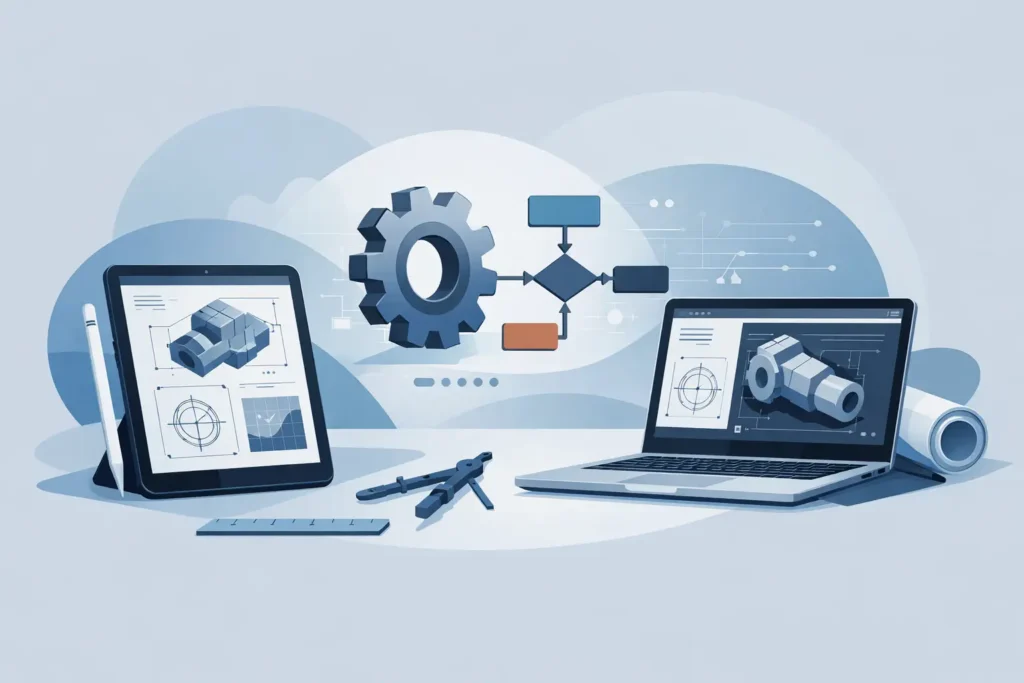
A muddy chainage marker, a face mapping sheet and a revised grout take can change the priorities of a working day quickly. The useful question in an iPad vs laptop engineering workflow is not which device is better in general. It is which device supports the engineering decision required at that moment, without creating a second version of the project record.
For geotechnical and tunnelling professionals, the best arrangement is usually a connected, device-appropriate workflow. A laptop remains the primary environment for substantial model preparation, report production and file management. An iPad is particularly effective for field review, structured data capture, drawing mark-up and focused calculations where portability matters. Used with clear boundaries, the two devices reduce friction rather than compete for the same task.
The engineering task should choose the device
A laptop is built for prolonged, complex production work. Its larger display, physical keyboard, window management and broad software support make it the sensible choice when several sources must be assessed together. This includes reviewing borehole records beside laboratory results, comparing tunnel face observations with design assumptions, preparing calculation notes or assembling a technical memorandum.
The iPad is strongest where the work is immediate and location-dependent. On site, it can present drawings, photographs, calculation results and inspection forms without the inconvenience of opening a laptop on an unstable surface or in poor weather. With a stylus, it also becomes a practical tool for annotating plans, marking areas of concern on a section or recording comments during a walkover.
This division is not a rule that the iPad may only be used for viewing. A well-designed engineering application can support real calculations on iPad, particularly when the input is deliberately structured and the result is easy to inspect. The limitation is not calculation capability. It is the practicality of handling large, interconnected projects, extensive supporting documentation and many simultaneous tasks on a smaller screen.
Where the laptop remains the engineering workbench
Model setup and quality control
Geotechnical calculations are only as reliable as the assumptions entered. For a slope stability assessment, a grouting evaluation or an underground excavation check, the engineer may need to compare parameters from several investigations, identify controlling groundwater conditions and document the basis for characteristic or design values. This is generally laptop work.
The larger display supports a proper quality-control routine. Inputs, result plots, sensitivity cases and source documents can be visible together. The engineer can check units, sign conventions, geometry and material zones before accepting a result. It is easier to spot an implausible water level or an unintended boundary condition when the full model context is visible.
A laptop is also preferable when creating repeatable project structures. Naming conventions, folders, calculation registers and report templates may appear administrative, but they are part of technical traceability. A calculation that cannot be identified, reproduced or reviewed is of limited professional value.
Reporting and detailed interpretation
Technical reports demand more than exported results. They require explanation: what has been checked, why the chosen parameters are appropriate, what uncertainties remain and how the result affects construction or design. Writing this material, incorporating figures and responding to review comments is more efficient with a full keyboard and a conventional desktop layout.
This is especially true for projects where a conclusion depends on a sequence of observations rather than one calculation. A tunnel lining assessment, for example, may need to bring together geological mapping, monitoring data, excavation sequence, reinforcement records and contractual requirements. The laptop remains the natural place to establish that narrative and retain its supporting evidence.
Where an iPad improves field engineering
Drawings, photographs and inspections
An iPad is valuable because it keeps relevant information close to the work face, drill rig or inspection location. Current drawings can be reviewed without carrying a roll of marked-up paper. Photos can be taken and placed in context immediately. Observations can be recorded while the geometry, water conditions and construction stage are directly visible.
The gain is not simply speed. Recording observations at the point of inspection can improve their quality. Details are less likely to be reconstructed from memory at the end of the day, and photographs are less likely to become detached from their location or purpose. For rock mapping, seepage observations or grout fan review, this can make subsequent interpretation more reliable.
A stylus is useful where the engineering message is graphical. A short note beside a joint set, a marked area of overbreak or a sketch of a local instability can communicate more clearly than a paragraph typed later. The annotation should still be transferred into the controlled project record, but the original field mark-up has genuine technical value.
Focused calculations at the point of need
There are situations where an engineer needs more than a PDF viewer. A site discussion may require a quick check of grout pressure, estimated penetration, rock cover, hydraulic condition or a simple stability case. If the calculation tool has clear input handling, visible assumptions and interpretable output, an iPad can support a disciplined preliminary assessment.
That does not mean a result calculated beside an excavation should automatically become the design basis. The appropriate use depends on the consequence of the decision, the completeness of the input data and the required checking procedure. For a high-consequence change, the field calculation may identify the issue and guide immediate action, while the formal assessment is completed and independently reviewed on the laptop afterwards.
For this reason, engineering software should not hide its method behind a simplified interface. Simple input is desirable; simplified engineering judgement is not. Good mobile tools make it easy to follow the calculation in detail, inspect values and communicate the result to another engineer.
The main risk is fragmentation, not the device
The weakest iPad vs laptop engineering workflow is one where the same project exists in several uncoordinated forms: a spreadsheet on one device, annotated PDFs on another, photographs in a personal library and a calculation file with an unclear revision status. This creates uncertainty about which record is current and whether a field observation has reached the design team.
A better approach is to define a small number of controlled handovers. The laptop can be the place where project calculations are initiated, checked and issued. The iPad can be used to access the current information, capture observations and perform focused working checks. At agreed intervals, field records are synchronised, reviewed and incorporated into the central calculation and reporting record.
This does require discipline. Synchronisation is helpful only when teams understand which files are authoritative, how revisions are identified and who is responsible for accepting field changes. Automatic cloud storage does not by itself provide technical control. It can just as easily distribute an unreviewed mark-up more quickly.
Build the workflow around continuity
For most practitioners, the practical goal is continuity from site observation to documented decision. Start a calculation on the laptop when the problem requires broad data review or a formal model. Make the relevant results available on iPad before travelling to site. Use the iPad to compare those assumptions with actual conditions, collect evidence and test limited alternatives where appropriate. Return the revised information to the laptop for validation, reporting and issue.
This works particularly well when applications are designed for the same engineering task across macOS and iOS, rather than forcing mobile users into a generic note-taking substitute. Psicons AB develops specialist geotechnical and tunnelling tools for this Apple-based way of working, with an emphasis on direct input, professional calculation output and results that remain understandable away from the desk.
The workflow should also recognise practical site constraints. Battery life, gloves, rain, dust, connectivity and screen visibility can all affect the usefulness of a tablet. A protective case and an offline copy of essential documents are often more valuable than another software feature. Conversely, a laptop is rarely the right device for a rapid inspection underground, but it may be indispensable in the site office afterwards.
Choosing the right balance for each project
A design office producing extensive calculation packages will remain laptop-led. A tunnelling team carrying out daily face mapping and support review may gain considerably from iPad-led field capture. A consultant undertaking periodic inspections may need both: an iPad for the visit and a laptop for the interpretation and formal advice that follows.
The decision should be based on the consequences of error, the volume of information, the frequency of field work and the need for collaborative review. When the task demands deep comparison, formal documentation or multi-file control, use the laptop. When it demands mobility, visual communication and immediate observation, use the iPad. The engineering standard should remain identical on both devices.
The useful endpoint is not a paperless site for its own sake. It is a record in which the observation, the assumption, the calculation and the decision can still be understood by the engineer reviewing the work months later.