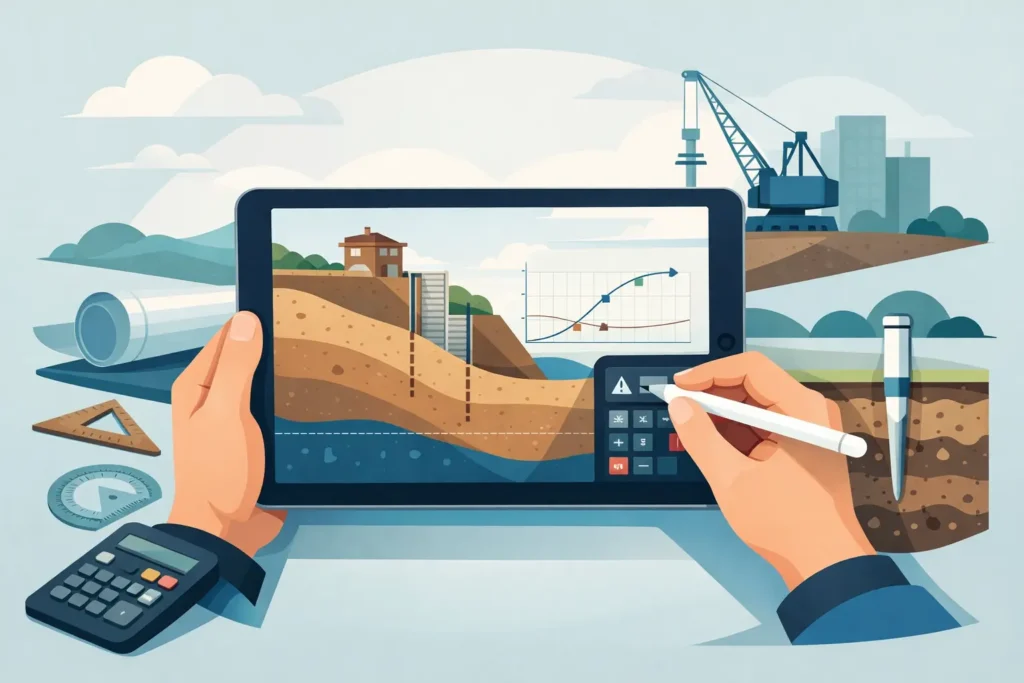
A slope assessment is rarely completed at the desk in one uninterrupted sitting. Ground conditions are checked, a borehole log is clarified, a section changes after a site walk, and someone asks what happens if the water level is higher than assumed. Geotechnical calculations on iPad can make those moments more productive, provided the device is used as part of a disciplined engineering workflow rather than as a substitute for one.
For geotechnical and tunnelling engineers who use Apple devices, the value is not simply portability. It is the ability to open a calculation where the question arises, inspect the assumptions with the project team, and carry the same technical work between iPad, iPhone and Mac. The calculation still requires professional judgement. The iPad changes where and how efficiently that judgement can be applied.
Why geotechnical work suits the iPad
Many ground engineering calculations begin with a compact set of inputs: geometry, soil layers, unit weights, strength parameters, pore-water conditions, loads and applicable design factors. Their difficulty lies not only in the mathematics, but in choosing inputs that represent the ground model and in communicating what the result means.
An iPad is particularly useful for this type of work because the engineer can view drawings, borehole information, photos and calculation input together without being tied to a workstation. On a site visit, in a design review or during a tunnel coordination meeting, it can reduce the gap between observing a problem and setting up a technically defensible first assessment.
The screen also supports a more visual conversation. A calculation with a clear section, a plotted result and accessible input fields is easier to review with colleagues than a dense spreadsheet with hidden formulae. That matters when decisions concern excavation support, slope geometry, grout pressure or the interpretation of an unexpected ground condition.
This does not mean every analysis belongs on a tablet. Large three-dimensional models, project-wide data management and highly bespoke numerical studies are generally better handled on a full desktop environment. The strongest iPad workflow is focused: define the immediate engineering question, make the assumptions visible, calculate efficiently and transfer the result into the wider design record.
Geotechnical calculations on iPad in real project work
The most useful applications are usually those with a clear engineering purpose. A preliminary slope stability calculation, for example, can help an engineer compare a proposed batter with an alternative geometry while discussing constructability. The result may not be the final issued design, but it can identify whether a change is likely to improve stability or whether further investigation is required.
For tunnelling and rock engineering, mobile calculation tools can support quick checks of rock mass parameters, lining-related assumptions, groundwater conditions or grouting decisions. In underground works, the ability to review a calculation near the face, or immediately after new mapping information is available, has practical value. However, new observations must be assessed against the current geological model, not inserted mechanically because they are recent.
Grouting is another area where short feedback loops matter. Pressure, flow, stage length, geology and hydrogeological conditions may all influence the chosen approach. A calculation tool can make parameter studies easier to perform and easier to explain, but field records and observational data remain central. A technically sound grouting decision is based on the interaction between the calculation, the ground response and the specified control criteria.
In each case, the iPad is best seen as a professional calculation surface. It is not merely a document viewer, and it should not become an informal place where unrecorded design changes are made.
The value of immediate sensitivity checks
Ground parameters are uncertain by nature. A single calculated factor of safety or pressure limit can appear precise while depending heavily on water level, undrained strength, friction angle, cohesion or boundary conditions. This is where a well-designed mobile tool can be more useful than a static calculation sheet.
Changing one parameter at a time during a meeting helps reveal what drives the result. If a modest increase in pore pressure substantially changes stability, the next action may be to improve drainage assumptions, obtain better groundwater data or reconsider the excavation sequence. If the result is insensitive to a parameter that has prompted lengthy discussion, effort can be directed elsewhere.
Sensitivity checks are not a replacement for characteristic value selection or design verification. They are a practical way to make uncertainty explicit before it becomes a late-stage problem.
A reliable workflow starts before the calculation
The quality of a calculation on iPad depends on the preparation behind it. Before entering values, establish the purpose of the check. Is it a feasibility assessment, a construction-stage review, a comparison of alternatives or a final design verification? The acceptable level of simplification differs in each case.
Next, make the ground model explicit. Identify which strata are included, whether behaviour is drained or undrained, how groundwater is represented and which loads or support measures are active. A neat result based on an unclear ground model is not a reliable result.
Input handling should be straightforward enough that another engineer can follow it in detail. This is one of the advantages of specialist software over generic calculation environments: the fields, units and graphical output can be arranged around the engineering problem rather than around a blank grid. Psicons AB develops Apple-focused tools with this practical requirement in mind.
The calculation should then be checked using normal engineering controls. Confirm units, sign conventions, geometry, parameter definitions and the design approach. Review whether the output is physically credible. A result that is technically possible but inconsistent with observed behaviour, adjacent sections or previous experience deserves investigation.
Finally, preserve the record. The calculation version, inputs, assumptions, output and reviewer comments should be incorporated into the project’s established document control process. The mobility of the device should improve traceability, not weaken it.
Where an iPad workflow can fail
The principal risk is false confidence. A clear interface and rapid output can make it easy to forget the limits of the model. Geotechnical calculations are representations of uncertain materials and variable site conditions. They should be interpreted alongside investigation data, construction information and applicable standards.
Screen size also affects review. An iPad is excellent for focused input and graphical interpretation, but complex tables, long reports and side-by-side comparison of many cases may be more comfortable on a Mac. The practical answer is not to force every task onto one device. Use the iPad for field-ready setup, review and scenario testing, then use the larger environment when detailed reporting, document assembly or extensive checking is needed.
Connectivity is another consideration. Remote sites, underground works and temporary site offices do not always provide dependable access. Calculation tools should therefore support a workflow that remains useful offline, with synchronisation and formal filing performed when a reliable connection is available. Engineers should also follow project requirements for device security, access control and data storage.
There is a human factor as well. A calculation discussed beside an excavation can be valuable, but it can also be rushed. If conditions are changing quickly, record the observation, state the provisional assumptions and distinguish an immediate operational check from a formal design decision. That distinction protects both the project and the engineer.
Choosing software for engineering use
Specialist geotechnical software for iPad should be judged by more than the number of available calculation types. The relevant questions are whether the methods are appropriate to the work, whether assumptions are transparent, whether units and parameter definitions are clear, and whether results can be reviewed without ambiguity.
Graphical output has a particular role. It should help the engineer see the geometry, failure mechanism, pressure distribution or parameter relationship being evaluated. Text output should be sufficiently detailed to support checking and reporting. Neither form is sufficient alone: graphs clarify the physical model, while structured values and assumptions support verification.
Compatibility across Apple devices is equally valuable when it preserves continuity. An engineer might begin a calculation on a Mac, review the geometry on an iPad during a visit, and later use an iPhone to refer to a result in a coordination discussion. The purpose is not to create more versions of the same work, but to keep one controlled calculation available where it is needed.
A good tool also respects the engineer’s attention. It should not bury basic inputs under unnecessary configuration, yet it must provide enough detail for technically serious work. Simplicity in the interface is useful only when it is backed by sound engineering methods.
Put the calculation where the engineering happens
The strongest case for an iPad is not that it replaces established geotechnical practice. It gives that practice a more immediate presence in the places where ground engineering decisions are made: beside the excavation, during a design discussion, at a tunnel heading or while reviewing unexpected site information.
Use it to expose assumptions, compare credible scenarios and communicate results clearly. Then give the calculation the same checking, documentation and professional judgement it would receive at any desk. That is how a portable device becomes a genuinely useful engineering instrument.