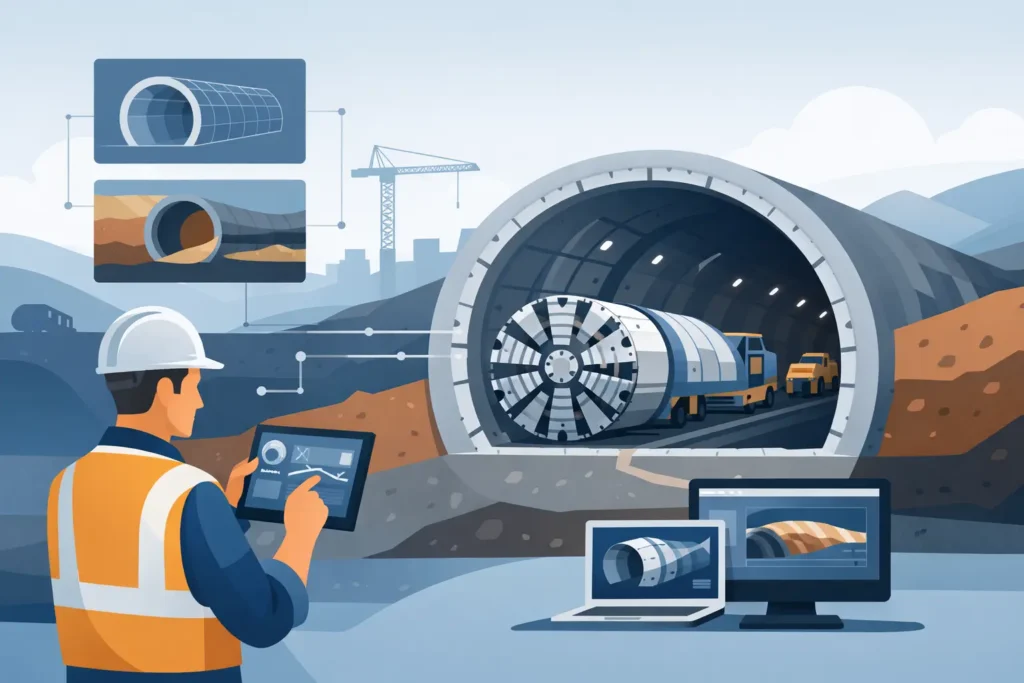
A tunnelling design review rarely fails because someone lacked another dashboard. It usually fails because assumptions are hard to trace, input takes too long, outputs are awkward to check, or the software does not fit the way engineers actually work. That is why tunnelling engineering software needs to be judged less by feature volume and more by whether it supports sound engineering decisions under project pressure.
For tunnelling specialists, software is not a decorative layer around the calculation. It is part of the calculation process itself. The way parameters are entered, how geological conditions are represented, and how results are presented all affect efficiency and, at times, judgement. A tool that is technically capable but cumbersome in daily use can still slow down design work, internal checking, and communication with contractors, clients, or review teams.
What tunnelling engineering software should actually do
In practice, tunnelling work sits at the intersection of geology, rock or soil behaviour, groundwater conditions, support measures, construction method, and risk. Software used in this environment should help structure that complexity without hiding it. If a program reduces engineering work to a black box, it becomes difficult to defend design choices or explain sensitivity to changing ground conditions.
Good tunnelling engineering software should therefore support three things at once. It should make problem set-up straightforward, carry sufficient technical depth for the task in hand, and produce outputs that are easy to follow in detail. Those outputs matter. Engineers need tables, diagrams, text summaries, and graphics that can be checked quickly and discussed clearly in design meetings or site-related reviews.
This sounds obvious, but many tools perform unevenly across those three areas. Some are mathematically strong yet unnecessarily awkward to use. Others look polished but offer limited transparency once you move beyond standard cases. For experienced practitioners, that trade-off becomes visible very quickly.
The difference between general analysis tools and specialised tunnelling software
A general geotechnical platform may cover a wide range of analyses, but tunnelling often demands more specialised treatment. Tunnel-related calculations are closely tied to construction sequence, pre-injection, groundwater control, deformation expectations, lining or support considerations, and project-specific interpretation of rock mass or soil data. A broad platform can still be useful, but breadth is not the same as suitability.
Specialised software has an advantage when it reflects the way tunnel engineers frame problems. That means input fields, parameter logic, and reporting structures that correspond to real design tasks rather than a generic numerical environment. It also means recognising that not every job needs a large finite element model. Early-stage assessments, grouting evaluations, technical checks, and comparative studies often benefit more from focused tools that are quick to configure and simple to review.
There is no single correct software stack for every underground project. A large metro station cavern, a drill-and-blast transport tunnel, and a pipe jack in urban ground present different analytical needs. The sensible question is not whether one tool can do everything, but whether each tool in the workflow earns its place.
Key criteria when comparing tunnelling engineering software
The first criterion is engineering relevance. Does the software reflect the kind of decisions you need to make, or does it force the problem into a framework that is only partly suitable? In tunnelling, this can show up in how the software handles grouting assumptions, leakage estimates, support input, ground classes, or staged interpretation.
The second is transparency. Engineers need to see what the program is doing. That includes equations, parameter definitions, assumptions, intermediate steps where relevant, and output formatting that supports checking. If you cannot easily explain a result to a colleague, an independent reviewer, or a client representative, the software may be working against you.
Third comes usability. This is not a soft criterion. Straightforward user friendly input handling can materially improve engineering productivity. If experienced staff avoid a program because every small change takes too long, the tool has a practical problem no matter how advanced the underlying model may be.
Fourth is platform fit. This is often underestimated. Many consulting teams and specialists work across desktop and mobile devices, reviewing calculations in the office, on site, during travel, or in meetings. When software works properly across macOS, iPhone, and iPad, it supports a more continuous workflow. That is particularly relevant in niche engineering areas where Apple users have historically had limited access to serious technical applications.
Finally, there is output quality. Engineers need results that can move directly into technical discussions. Clear graphics and text-based summaries are not cosmetic. They reduce ambiguity, improve checking, and make it easier to compare scenarios.
Why usability matters more than many vendors admit
There is a tendency in engineering software marketing to equate complexity with value. More modules, more menus, and more configuration options are presented as proof of capability. In real project work, that logic often falls apart. A specialist may only need a targeted calculation tool that can be set up correctly in minutes and reviewed just as quickly.
This is especially true in tunnelling and grouting-related work, where engineers may need to test multiple assumptions within a limited time. If the software slows iteration, sensitivity studies become less likely to be done properly. That can leave teams relying on a single run rather than examining how outcomes shift with realistic parameter changes.
Simple to use does not mean simplified engineering. It means the software has been designed with respect for how engineers think. It removes avoidable friction while preserving technical seriousness. For many users, that is a better measure of quality than a long feature list.
Apple workflows are no longer a side issue
For a long time, technical engineering software largely ignored the Apple ecosystem. That left Mac-based engineers to rely on workarounds, virtual machines, or fragmented workflows between devices. For tunnelling specialists who need mobility as well as technical depth, that arrangement has never been ideal.
Purpose-built engineering software for macOS and iOS changes the practical picture. It allows calculations to be prepared on a Mac, reviewed on an iPad, and referenced on an iPhone without losing continuity. That is useful in design coordination, site meetings, claim discussions, and technical reviews where engineers need access to the same underlying work across devices.
The value here is not novelty. It is reduced friction. When tools are available on the devices engineers already use, the workflow becomes more direct. For a specialist field with limited software options on Apple platforms, that matters.
Where specialist development makes a difference
Tunnelling software is more credible when it is shaped by people who understand underground construction, not just software architecture. Domain knowledge affects what is included, what is left out, and how the user is expected to work through a problem. A research background in grouting, tunnelling, soil mechanics, and rock mechanics tends to produce different software decisions from a general software development approach.
That difference is often visible in small details. Parameter names make sense. Input sequences follow engineering logic. Results are arranged in a way that supports interpretation rather than presentation alone. This is where focused developers can offer something larger vendors often miss.
Psicons AB sits in that narrower but important category – engineering software developed for geotechnical and tunnelling professionals who need technically serious tools on Apple devices. That focus is not about serving everyone. It is about serving a specialised user group properly.
How to choose without overbuying
The best approach is usually to start from recurring project tasks. Ask which calculations are repeated, where checking currently takes too long, and where device limitations interrupt work. Then assess software against those tasks rather than against abstract product claims.
It also helps to distinguish between core design analysis and supporting technical calculations. Not every task requires a large integrated platform. In many cases, a combination of focused tools is more efficient, easier to validate, and better suited to specialist workflows.
A final point is to be honest about who will use the software. Senior specialists, design engineers, and technical reviewers do not all interact with tools in the same way. Good tunnelling engineering software respects that by making setup clear, calculations defensible, and outputs easy to follow in detail.
Software should not try to replace engineering judgement. It should make that judgement faster to apply, easier to check, and simpler to communicate. When a tool does that reliably, it becomes part of good practice rather than just another program on the desktop.
If you are assessing software for underground work, the useful question is not whether it promises everything. It is whether it helps you produce sound technical work, with less friction, on the devices you actually use.