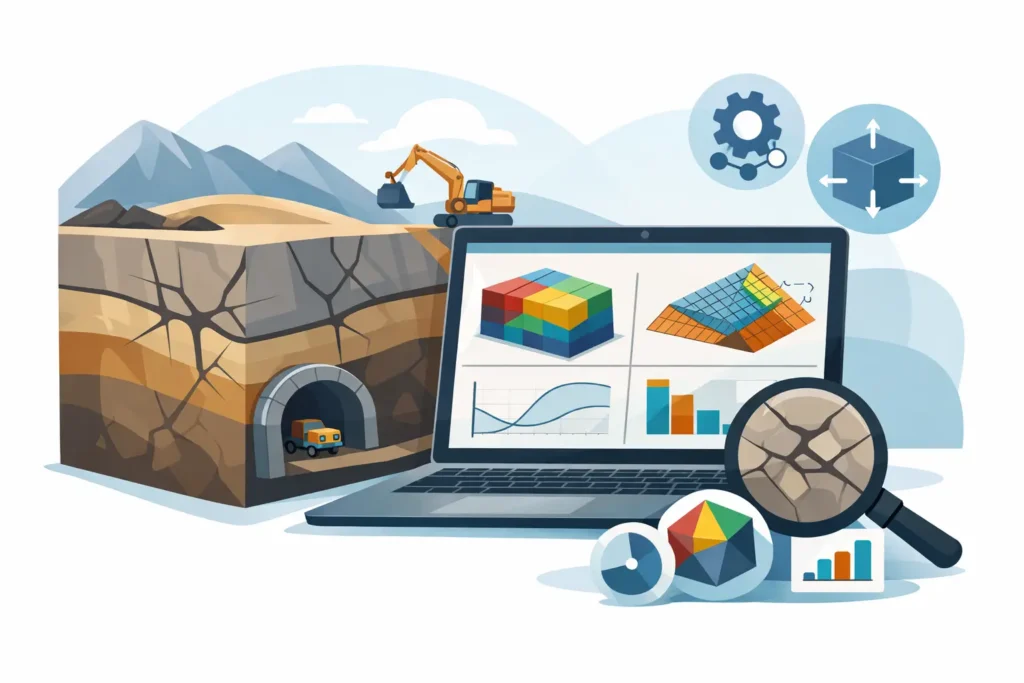
A tunnel alignment can look straightforward on a plan drawing and become far less straightforward once jointing, groundwater, cover and excavation sequence start interacting. That is where rock mechanics software earns its place. For practising engineers, the question is rarely whether software is needed. It is whether the software supports real decisions, fits the way projects are delivered, and stays clear enough that the user can follow every assumption.
What good rock mechanics software should actually do
In rock engineering, software is not there to replace judgement. It is there to help structure the problem, apply consistent calculations, and present results in a form that can be checked. That distinction matters. A polished interface is of little value if the model setup is opaque, the outputs are difficult to interpret, or the calculation path is hard to review.
Good rock mechanics software should therefore begin with input handling. Engineers need to enter geometry, material parameters, boundary conditions and support assumptions without fighting the software. Straightforward user input is not a convenience feature. It affects quality. If setting up a case takes too long or requires too many workarounds, mistakes become more likely and sensitivity studies get skipped.
The next requirement is transparency in results. In practical rock mechanics work, a single factor of safety or displacement value is rarely enough on its own. Engineers need graphical and text-based output that can be checked against hand reasoning, project observations and previous experience. If the result cannot be followed in detail, confidence in the calculation is reduced even when the mathematics may be sound.
That is especially true in tunnelling and underground works, where geological uncertainty is part of the job. The software needs to help the engineer test scenarios rather than create a false impression of exactness.
Why workflow matters as much as calculation power
One of the persistent weaknesses in engineering software is the gap between where analysis starts and where decisions are actually made. A geotechnical engineer may review assumptions in the office, discuss support classes on site, and then need to revisit a calculation during a design meeting. If the software only works well in one location or on one device, the workflow becomes fragmented.
For many engineers using Apple hardware, that fragmentation is still a practical problem. Serious geotechnical and rock engineering applications have historically been concentrated on other platforms. The result is often a patchwork of remote access, virtual machines, spreadsheet fixes and manual transfers between devices. That arrangement is manageable, but it is not efficient.
Rock mechanics software designed for macOS, iPad and iPhone changes that equation when it is done properly. The benefit is not novelty. The benefit is continuity. A calculation started on a Mac can be reviewed on an iPad in a meeting or checked on an iPhone in the field, with the same logic and the same project information carried through. For engineers working under programme pressure, that kind of continuity saves time and reduces the chance of version confusion.
The trade-off between advanced features and practical use
There is always a temptation in technical software to equate more features with better engineering. Sometimes that is justified. Complex rock masses, staged excavation, anisotropy, water pressure effects and support interaction can demand sophisticated treatment. But there is also a cost. The more layers of modelling complexity that are added, the easier it becomes to lose sight of whether the chosen input data really supports that level of detail.
This is why the best tools for day-to-day engineering are often not the ones with the longest feature list. They are the ones that let the user define the problem clearly, run calculations efficiently and understand the outcome without unnecessary friction. In early design, tender support, claims work, grouting assessments or rapid checks during construction, usability can be more valuable than theoretical breadth.
That does not mean simpler software is always better. It depends on the task. For final verification of highly complex ground-structure interaction, a more specialised or numerically intensive model may be appropriate. For recurring engineering assessments, however, practical software that is easy to follow in detail often provides more value than a larger system that takes longer to set up and review.
How to assess rock mechanics software for professional work
The first test is whether the software reflects real engineering workflows. Can you define geometry and parameters without excessive menu navigation? Can typical project cases be prepared quickly enough to allow alternatives to be explored? If the answer is no, the software may still be technically capable, but it will not help much under normal project constraints.
The second test is output quality. In rock engineering, results need to be reviewed by the engineer who performed the work and often by colleagues, clients or contractors. Clear plots, readable tables and sensible reporting are not secondary details. They are part of the engineering process. If outputs are confusing, the time saved in calculation is lost during checking and communication.
The third test is whether the software supports engineering judgement rather than hiding it. A good application should allow assumptions to be stated plainly and changed easily. Sensitivity checks should be straightforward. When a result changes significantly due to one parameter, that should become visible quickly.
The fourth test is platform fit. For engineers already working across Mac and iOS devices, native support matters. It reduces friction and allows technical work to happen where it is needed, not just where the software happens to run.
Where specialised software has a clear advantage
General-purpose engineering platforms can be useful, but they often become broad at the expense of depth in niche disciplines. Rock mechanics and tunnelling work benefit from software built by people who understand the engineering context – not only the mathematics, but also how professionals actually use the calculations in design, construction and technical review.
That shows up in small but important details. Input parameters are named in ways that make sense to ground engineers. Output formats match what needs to be discussed in project teams. Assumptions are presented in a way that can be traced. The software feels closer to practice because it has been shaped by it.
This is where specialist developers can offer something more valuable than scale. A focused engineering software company can build tools around defined tasks such as rock mechanics, grouting, tunnelling and geotechnical calculations, instead of forcing those tasks into a generic framework. For users, that usually means less setup time and fewer compromises.
Rock mechanics software on Apple devices
For a long time, engineers using Apple devices have had to accept that serious technical software would require awkward workarounds. That is changing, but slowly. Native engineering tools for macOS and iOS remain relatively uncommon, especially in geotechnics and underground construction.
That gap is precisely why purpose-built software for the Apple ecosystem matters. It gives engineers access to professional-grade calculation tools without stepping outside their normal hardware environment. More importantly, it allows one consistent workflow across desktop and mobile use.
Psicons AB is one of the few companies addressing that need directly, with engineering software developed specifically for geotechnical and tunnelling professionals on Mac, iPad and iPhone. The value is not simply platform compatibility. It is the combination of domain expertise, straightforward user-friendly input handling, and outputs that are easy to follow in detail.
For engineers who work in rock mechanics, that approach is practical. You can set up technical problems, perform calculations, and review results in a way that matches how the work is actually done.
The software should help you think clearly
In rock engineering, uncertainty cannot be designed away. Geological conditions vary, investigation data is incomplete, and construction realities change the picture. Software is most useful when it helps the engineer think clearly under those conditions.
That means the tool should be fast enough to test alternatives, transparent enough to support review, and focused enough to stay close to the engineering question. If it also works across the devices engineers already carry between office, site and meeting room, so much the better.
The right rock mechanics software is not the one with the most impressive brochure language. It is the one that helps you define the problem properly, calculate efficiently, and explain the result with confidence when the ground conditions are less cooperative than the drawings suggested.