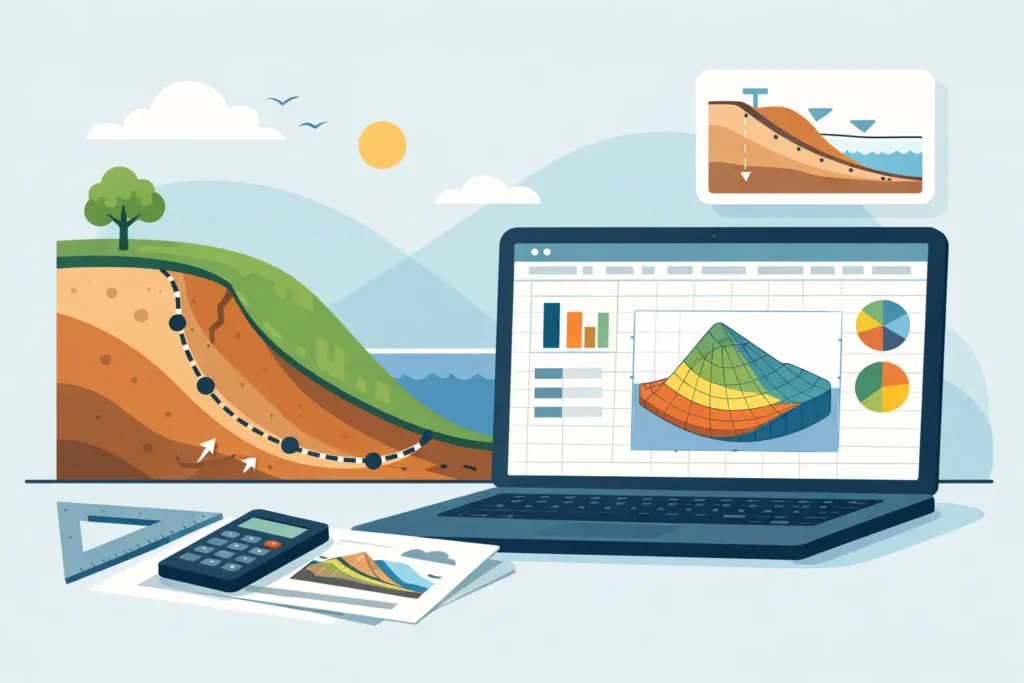
A slope that looks straightforward on plan can become less straightforward the moment groundwater, layered soil, or a staged excavation enters the picture. That is why the appeal of a slope stability analysis excel spreadsheet is easy to understand. It offers speed, transparency, and a familiar working environment. For early assessment and sensitivity checks, that can be valuable. For design decisions, it can also be risky if the spreadsheet is treated as more capable than it really is.
Where a slope stability analysis excel spreadsheet works well
Excel remains attractive because most geotechnical engineers already know how to use it. A simple Bishop, Fellenius, or ordinary method of slices model can be set up quickly, reviewed by colleagues, and adjusted during a meeting without much overhead. For teaching, concept testing, and first-pass stability checks, that transparency matters. You can usually see the assumptions directly in the cells rather than having to infer them from a black-box interface.
There is also a practical advantage in organisations where formal software access is limited or where engineers need to test an idea before building a full model. A spreadsheet can help answer the right first questions. Is the result highly sensitive to pore pressure ratio? Does a modest surcharge push the factor of safety below the required margin? Is the problem governed by geometry, strength, or water conditions? Used in that way, Excel is often efficient.
For simple homogeneous slopes with clear assumptions, a spreadsheet may be entirely adequate for preliminary work. It can be especially useful when the purpose is not final verification but understanding behaviour. Many experienced engineers still build small spreadsheets for this reason, even when they also use specialist software.
Why spreadsheets become unreliable faster than expected
The problem is not Excel itself. The problem is that slope stability is rarely as simple as the worksheet suggests. As soon as the soil profile varies laterally, pore pressures are non-trivial, reinforcement is included, or the likely failure surface is not circular, the calculation framework becomes much less forgiving.
A spreadsheet tends to encourage linear thinking. You define input cells, calculate slice forces, sum moments, and obtain a factor of safety. That logic is clean, but the real engineering challenge lies in what was not represented. Did the search method actually identify the critical slip surface? Were pore pressures simplified into a ratio that masks perched water or seepage effects? Were effective and total stress conditions mixed without enough care? These are not spreadsheet errors in the usual sense. They are modelling errors, and they are often more serious.
There is also a checking problem. A compact spreadsheet may feel transparent, but once hidden cells, nested formulae, copied ranges, and user modifications accumulate, it becomes difficult to audit. One wrong reference in a slice width or base angle term can survive for years if the outputs still look plausible. Engineers are rightly cautious about software they cannot verify. The same caution should apply to spreadsheets, even more so when they are inherited.
What a competent spreadsheet should include
If a slope stability analysis excel spreadsheet is to be used in professional work, it should do more than return a single factor of safety. At minimum, it should make the model assumptions explicit. That means the method of calculation, stress approach, pore pressure treatment, load definitions, and geometric conventions should all be easy to follow.
It should also separate input, calculation, and output clearly. This is basic engineering hygiene. When geometry, soil parameters, water conditions, and surcharges are all entered in a structured way, the risk of accidental overwriting drops sharply. Units should be visible. Sign conventions should be unambiguous. If the user has to guess whether shear strength is drained or undrained, the spreadsheet is not ready for serious use.
Graphical output is another point that is often overlooked. Even a basic plot of slope geometry, slice layout, and candidate failure surface helps expose bad input immediately. Engineers do not just need a number. They need to see whether the number belongs to a physically sensible model.
Iteration handling matters as well. Methods such as Bishop simplified require iterative solution. A spreadsheet that converges silently without showing iteration status can hide instability in the numerical procedure. It is better when convergence tolerance and iteration count are visible to the user.
The main trade-off: transparency versus capability
This is where the engineering judgement sits. Spreadsheets are often more transparent than specialist software, but they are usually less capable. Specialist tools can search for critical failure surfaces more effectively, handle complex stratigraphy, include reinforcement, model pore pressure distributions with greater fidelity, and present results in a way that is easier to review. They also tend to enforce a cleaner workflow.
That does not mean a bigger program is always better. Some commercial packages are cumbersome for small tasks and can bury simple assumptions under layers of menus. A geotechnical engineer trying to carry out a rapid check on site or on a train does not necessarily need a full desktop environment. There is real value in simple to use software tools that keep the calculation logic easy to follow in detail.
The sensible position is not to treat spreadsheets and dedicated software as rivals. They are different tools for different stages of work. A spreadsheet can be excellent for first-pass screening, sensitivity study, education, and independent verification of a more advanced model. Dedicated software becomes more appropriate as geometry, loading, groundwater, documentation demands, and project risk increase.
Using a slope stability analysis excel spreadsheet without fooling yourself
The safest way to use a spreadsheet is to define its role before the calculation starts. If it is a preliminary check, say so. If it is an independent verification against another package, keep it simple and deliberately separate from the main model. If it is intended for design support, then the spreadsheet needs formal checking, version control, and a documented basis for every assumption.
Parameter handling deserves particular care. Slopes fail because engineers misread the ground as often as because they miscalculate it. The spreadsheet may perform exactly as written while the selected shear strength envelope, pore pressure line, or unit weight is still inappropriate. A neat worksheet can give false confidence when the site investigation is sparse or the geological interpretation is weak.
Sensitivity testing is therefore not optional. Small changes in c’, phi’, ru, or groundwater level should be explored openly. If the factor of safety moves sharply with modest parameter changes, that is a useful engineering result in itself. It tells you the design is assumption-sensitive and that more ground data or a different mitigation approach may be needed.
Independent checks should be practical, not ceremonial. Hand checks on a reduced case, comparison with published benchmark problems, and review by another engineer remain good discipline. This is one reason many engineers prefer straightforward user friendly input handling. It is easier to inspect and easier to challenge.
When to move beyond Excel
There are clear situations where a spreadsheet is no longer enough. If the slope includes multiple soil units with irregular boundaries, staged excavation or filling, variable groundwater, anchors, geosynthetics, or a need for non-circular failure mechanisms, the limitations become material. The same applies where project consequences are high, third-party review is expected, or the output must support a formal design submission.
At that point, the question is not whether Excel can be stretched to fit. The question is whether the engineering task deserves software built for the problem. In geotechnics, usability matters, but so does having calculation structure and output that reflect real practice. For engineers working across Mac, iPad, and iPhone, that has often been awkwardly neglected by mainstream vendors. That gap is precisely why specialised developers such as Psicons AB have focused on technically serious tools for Apple-based engineering workflows.
A good engineering tool should not ask you to choose between simplicity and depth. It should let you enter the problem cleanly, review assumptions clearly, and interpret the result without theatrics. That is especially relevant in slope stability work, where the quality of the decision depends as much on understanding the model as on obtaining the factor of safety.
A spreadsheet still has its place on the engineer’s desk. Just do not let familiarity stand in for suitability. If the ground model is simple, the objective is narrow, and the assumptions are visible, Excel can be useful. If the problem is complex or the stakes are high, use a tool that was designed for the job – and keep the spreadsheet for what it does best: making your reasoning explicit.